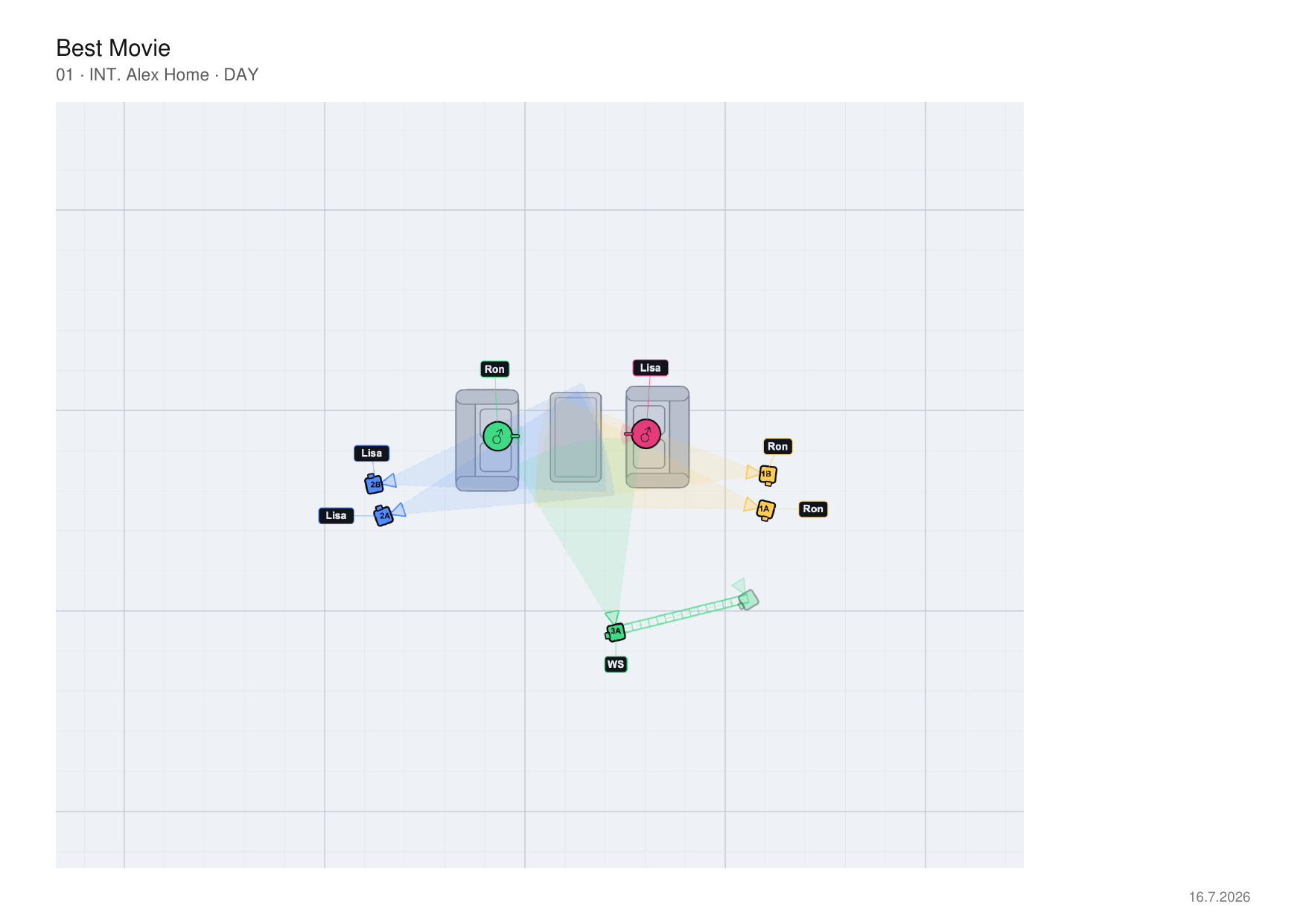
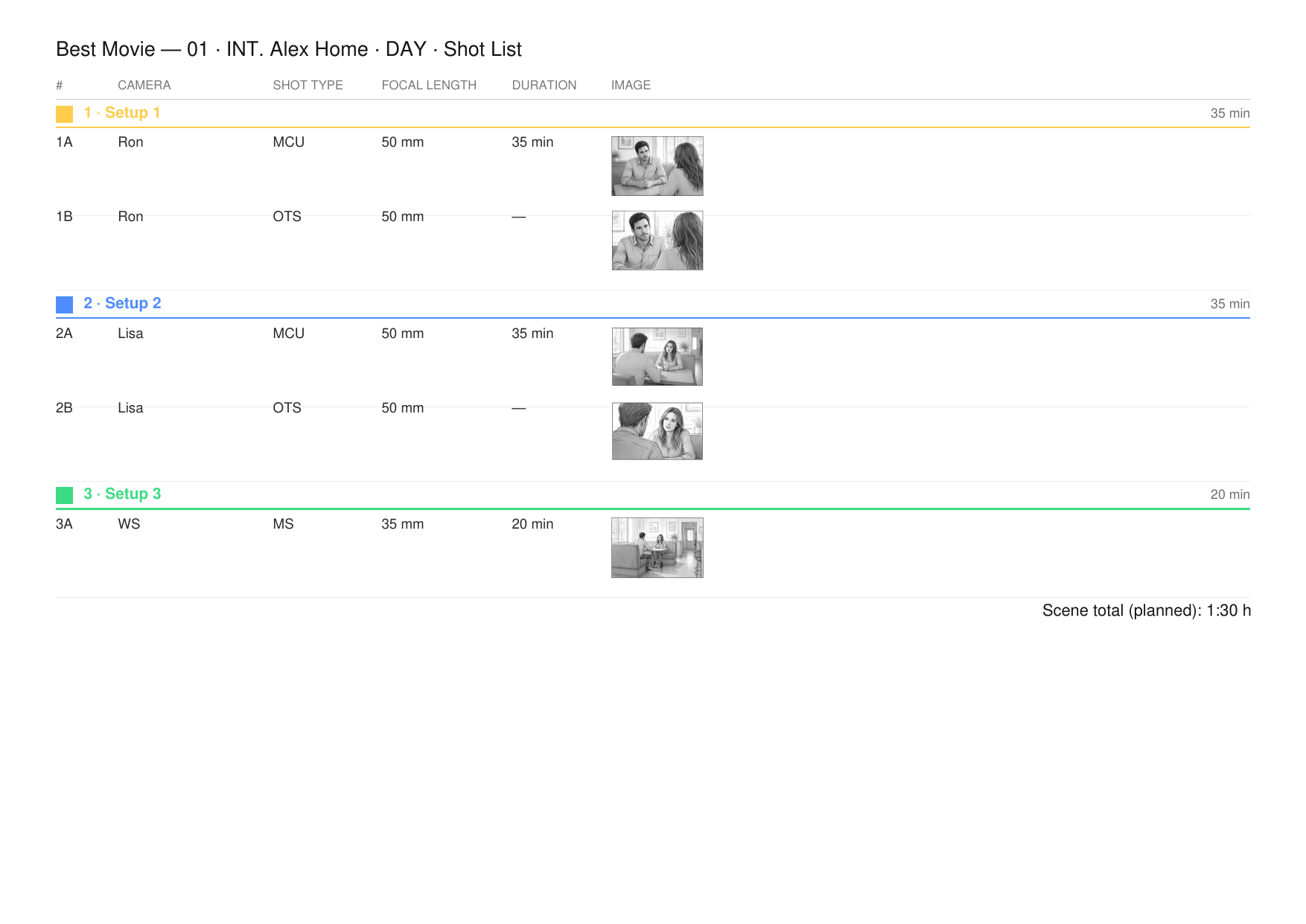
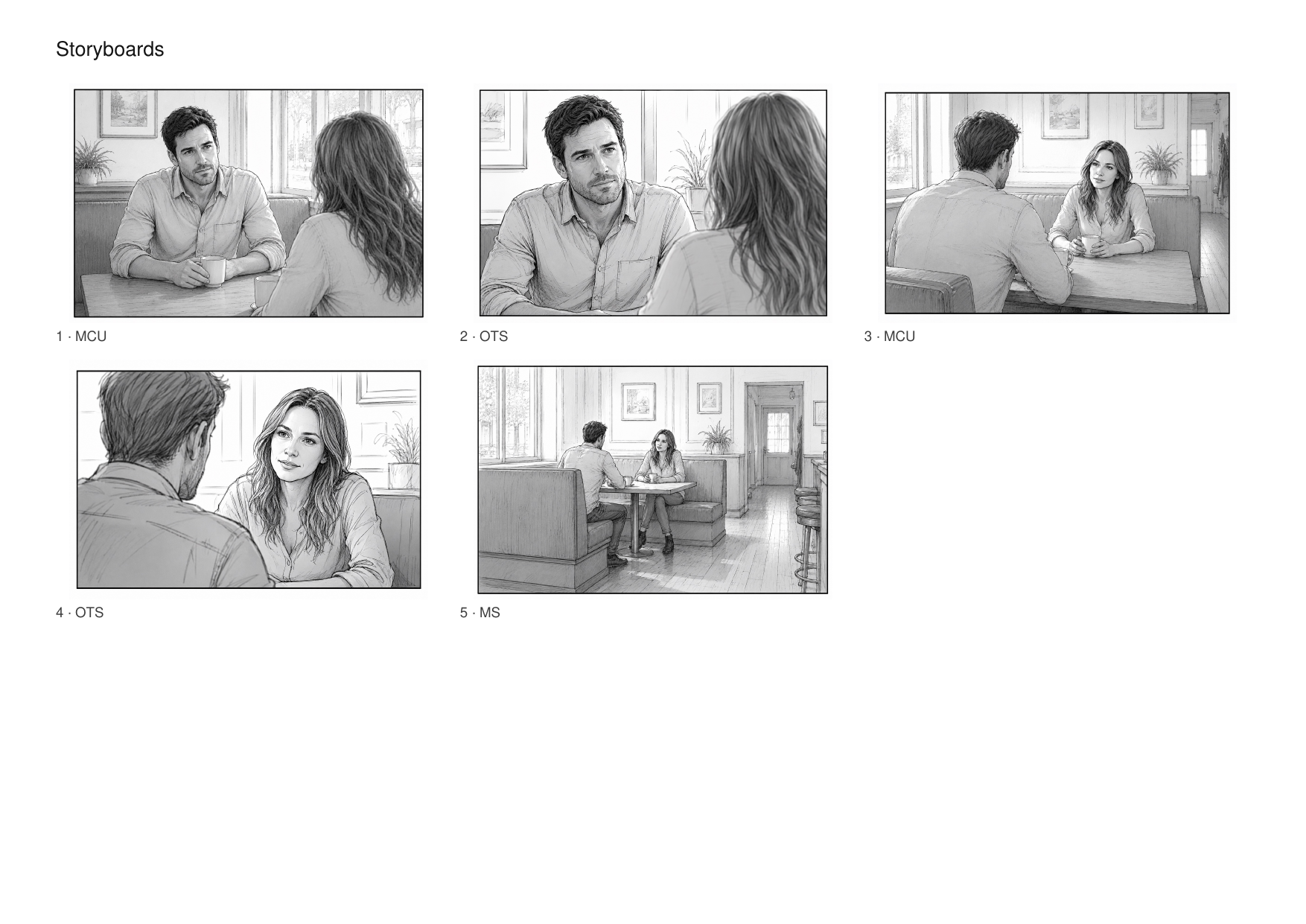
Back-to-One reads your screenplay and creates every scene and character automatically. Then you block characters, cameras and light on the top-down canvas, instead of starting from scratch.
Import your screenplay · scenes & characters ready · block in minutes
Easy start
Script in. Project ready.
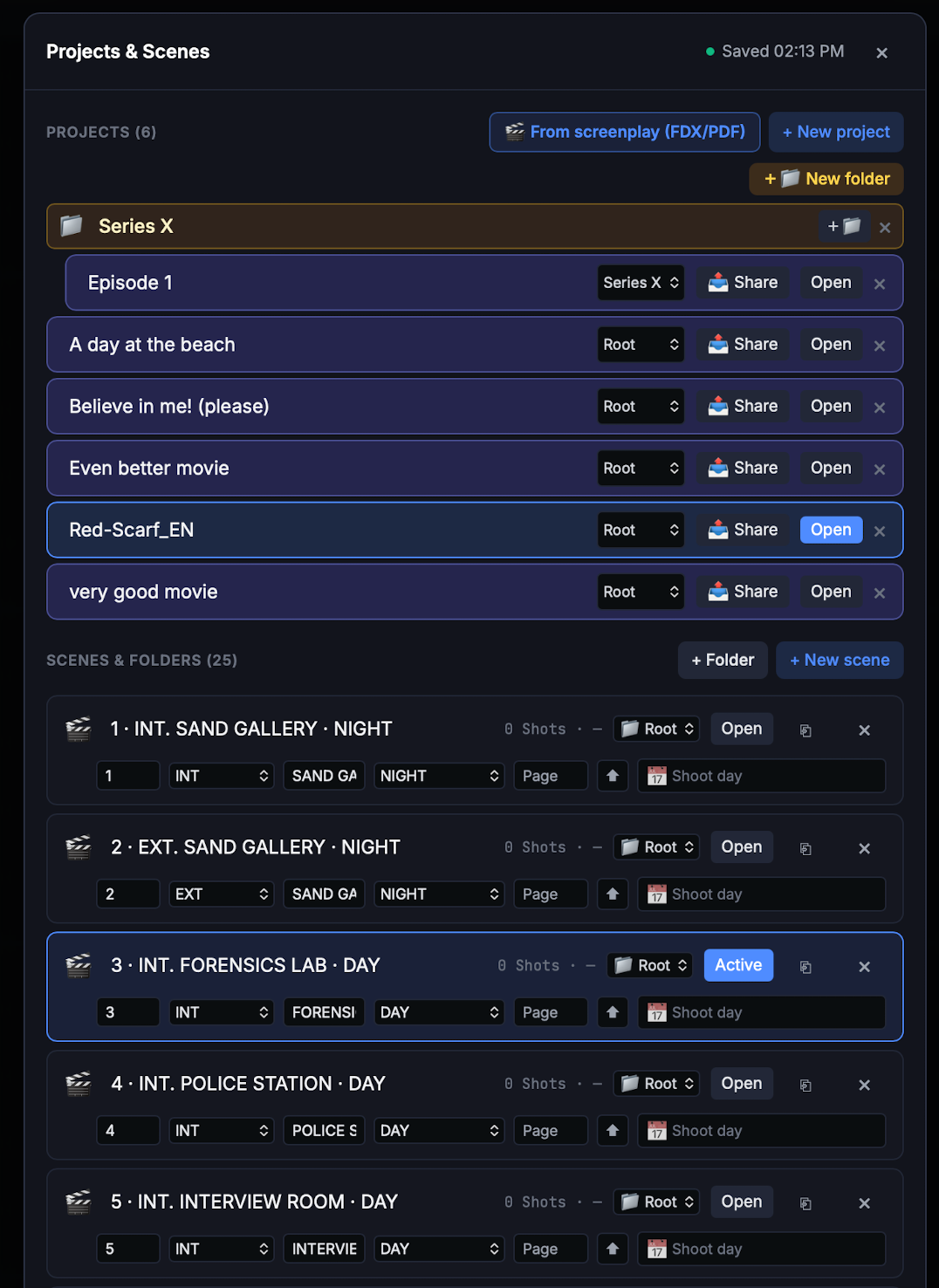
Import your screenplay as FDX or PDF and Back-to-One builds a project with every scene (including its slugline) and every character, optionally placed on the canvas right away.
Instead of creating every scene and character by hand, you start at the blocking.
Scenes and characters created automatically from FDX or PDF
PDF scripts are read even without Final Draft structure
Clean up the cast before importing, merge or delete roles
Characters optionally placed per scene
Each scene's text shown in proper screenplay format
27 INT. APARTMENT – KITCHEN – NIGHT
Tom stands at the window, lost in thought. Hanna comes in.
HANNA
I was waiting for you.
TOM
I know.
Hanna puts the key on the table.
HANNA
You were there again.
TOM
Only briefly. It's not what you think.
She looks at him and waits.
HANNA
Then explain it to me.
Tom turns away. He is crying.
Back-to-One reads & builds
Scene 27 · INT · Kitchen · NightHANNATOM
The room comes out of your pocket.
The screenplay builds your scenes. Now the iPhone builds your room. Walk through the location once and the floor plan is there, with real measurements.
Not a raw scan, a floor plan. Straightened, snapped to right angles, corners closed.
Doors and windows are detected too. They attach to the walls, placed by measured width, with a real opening cut into the wall.
Walls or background image, your call. The app asks after the scan instead of taking it off your hands.
The room scan needs LiDAR, so an iPhone Pro or an iPad Pro.
Recorded in the app. The top line shows sensor, aspect ratio and the angle of view, which changes with the focal length.
Viewfinder
See the frame before the camera arrives.
Hold the device in landscape and see the location at the focal length you will shoot. Take the frame and it lands on the shot as a storyboard image, in the aspect ratio of the production.
Focal lengths from the project lens set
Sensor-accurate across six formats, anamorphic included
The frame lands on the shot, no detour through Photos
On iPhone and iPad
Script
The screenplay stays in view.
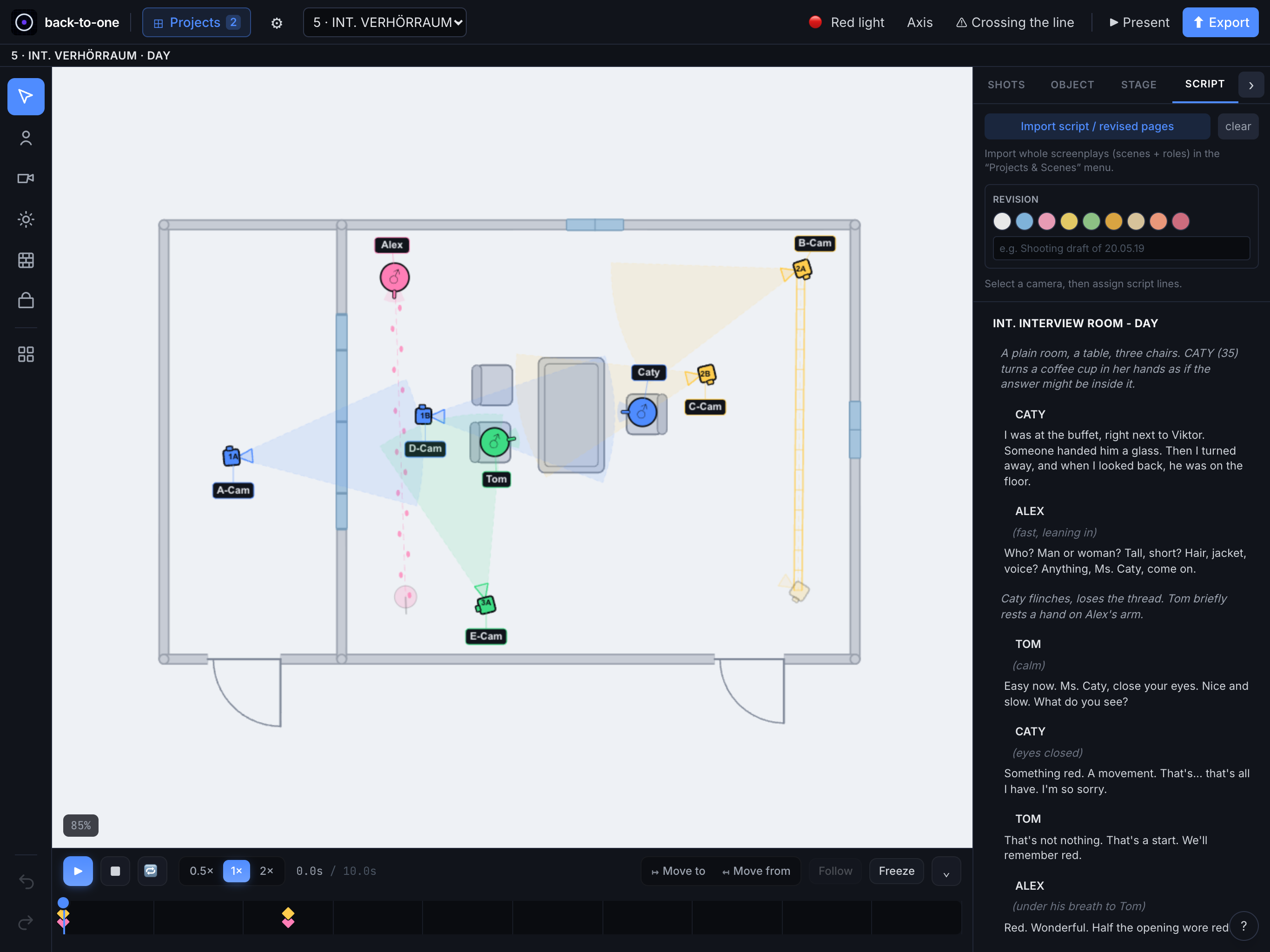
The scene sits as a screenplay right next to the canvas. Pick a camera and assign the lines it covers. You see at a glance which shot carries which text.
Screenplay text right next to the canvas
Assign lines to individual cameras
Colored revisions for draft versions
Import a script or revised pages
The Core
Staging that thinks with you.
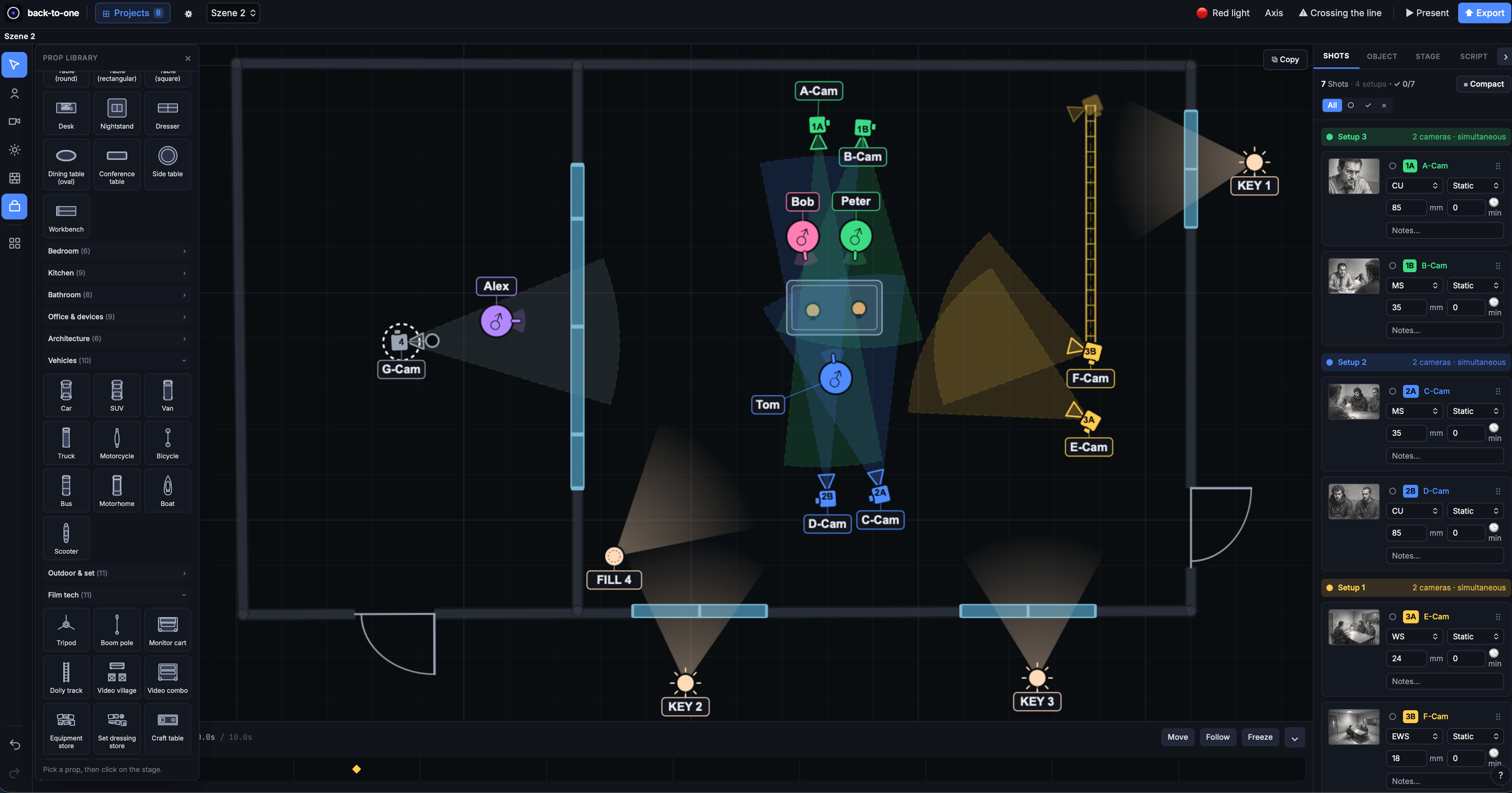
Place characters, cameras and light. The camera aims itself, multiple setups run in parallel, and crossing the line shows up while you plan – not in the edit.
Automatic camera aim
The camera turns as soon as the linked character moves. The field of view always stays correct.
180° line checker
Back-to-One spots crossing the line between two characters and warns you instantly – in red on the canvas.
Multi-cam setups
Several cameras run at once as a setup, grouped by a shared color in the shot list
Copy/paste across scenesReuse setups from scene to scene
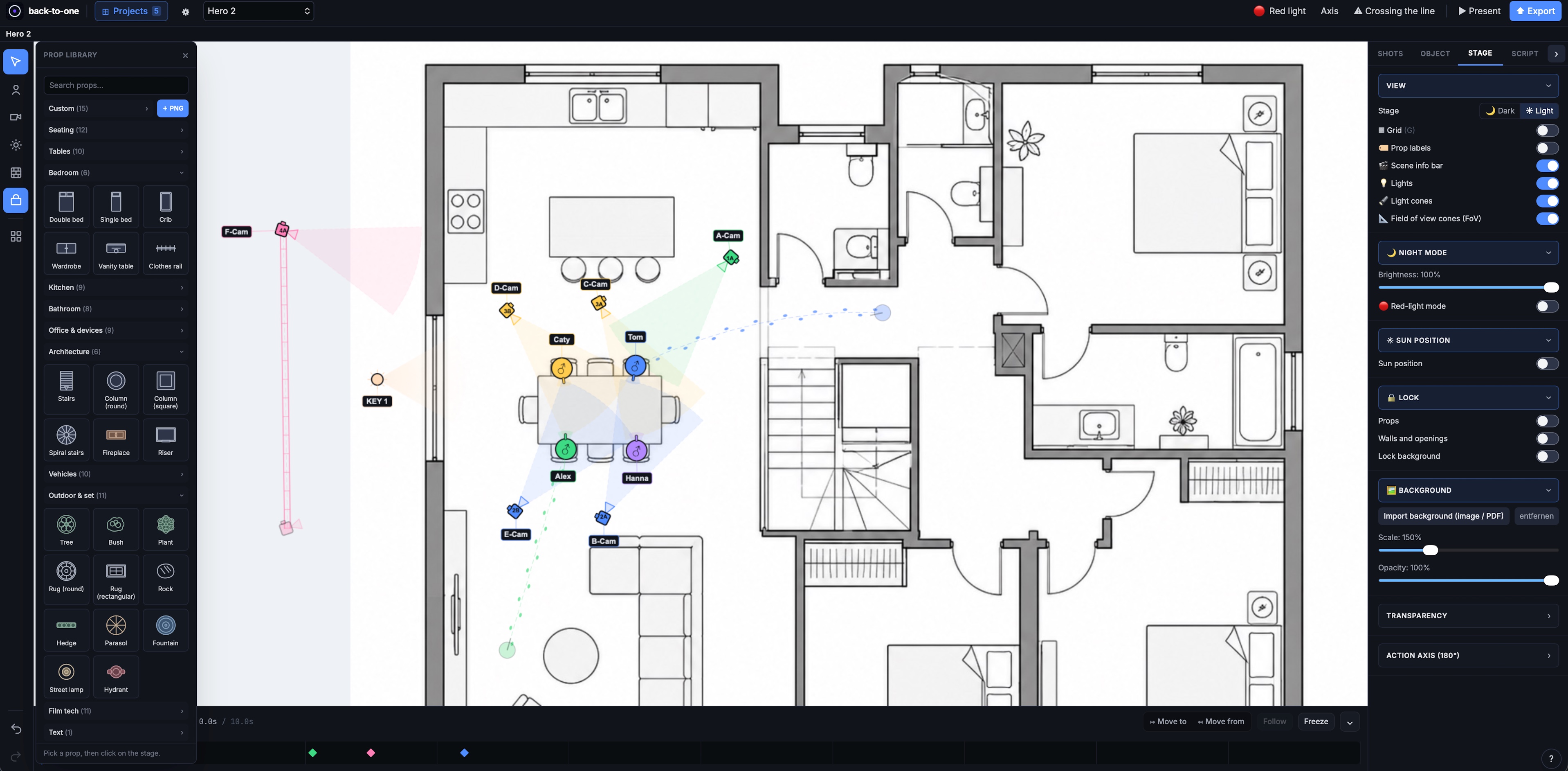
Floor plan as backgroundImport a production drawing
Scene templatesThree-way dialogue / two at a table / walk and talk, save your own
Character rosterCreate once, use across the project
Prop libraryFurniture, vehicles, gear and more by category
Background actor groups1 to 40 figures as a single object
Static panRecord where the camera pans to, with arc, degrees and the end frame
Quick context menuRight-click on Mac, long-press on iPad: place a camera or a figure exactly where you tapped
Everything at a glance
Canvas, shot list and tools – one workspace.
Scale & measuring
The plan holds up. On paper too.
You set what one grid square means. From then on everything follows: the scale bar on the canvas, the ruler, and every print-out the crew is holding.
Grid scaleSet once what a square stands for
Scale barAligned to the grid, correct at every zoom level
Metres or feet and inchesSet per project, identical on every device and every print
RulerTap two points, read the distance. Snaps to object centres and wall corners
Shot List & Planning
The shot list writes itself.
Every camera creates a shot, linked both ways with the canvas. But it never stays a flat list. It thinks like a shooting plan and comes with you to set.
Grouped by camera setup (1A/1B), shot in one go
Shooting time belongs to the setup, not the single camera: three cameras at ten minutes each cost ten, not thirty
Shot sizes in the language you work in: Extreme Wide · Wide Shot · Full Shot · American Shot · Medium Shot · Medium Close-Up · Close-Up · Extreme Close-Up
Check off live on set: open / shot / cut
A storyboard image per shot, shown in the aspect ratio you actually shoot
Shoot day per scene and shoot-day filter
Switch quickly between the scenes
Animation
Play the scene before you shoot it.
Move characters and cameras on a timeline and see the rhythm of the scene in real time.
Timeline with keyframes, play, loop, speed
Camera moves and orbits on clean Bézier curves
“Follow”: the camera tracks a character automatically
Props and lights animate too, not just characters and cameras
“Move from”: entrances as a ghost with a footprint trail
Interior & Exterior
Ready for the shoot day.
From the real position of the sun to a dark set: Back-to-One thinks about the conditions you actually shoot in.
Real sun positionNOAA, from location, date and time
Presentation modeFull screen with a slim control bar
Dim, night & red lightMade for a dark set
Collaboration
In sync. Shareable. No servers of our own.
Back-to-One uses iCloud: your plan is always current on iPhone, iPad and Mac. No forced login, no third-party infrastructure.
iCloud sync between iPhone, iPad and Mac
Share in-app through the iCloud share sheet
Edit together with scene-level merge
Nestable project folders (series, episode)
Collapse and expand folders: with many seasons you only see what you are working on
Snapshots and backups, restore anytime
Scenes can be linked to shoot days
iPhone, iPad and Mac
One plan, every device.
The Mac at the desk, the iPad on set, the iPhone in your pocket. The same project through iCloud, no export and no detour. Light stage for working, dark for a blacked-out stage.
Mac
iPhone
iPad
For iPhone, iPad and Mac Bilingual English / German In-app manual: 19 chapters with search
Deliverables
It ends with a finished hand-out.
What the crew needs goes out as a PDF: the plan, the shot list and the storyboards. No rebuilding in other tools, no app required on their end. Exports always render on a light stage, the scale bar is included even when it is hidden on screen, and the files stay small enough to email.
PlanTop-down with cameras & lightShot listBy setup, with duration & totalsStoryboardsEvery shot at a glance
Scene PDF: plan + shots
Shot list as Excel & CSV
Lighting plot
Canvas as an image (JPG)
Project overview as PDF
Collaboration
The team looks on. No subscription.
Anyone invited into a project, the production designer, the gaffer, the first AD, needs no subscription of their own to open it. The plan sits on their own iPhone, iPad or Mac, and changes arrive by themselves. The person who builds the plan pays. The whole team gets to read it.
Plan and scenesPage through them and show them in presentation mode
Read the shot listShot sizes, focal lengths, notes
See the progressOpen, shot, dropped, with a counter
Measure for yourselfThe ruler works without Pro, measuring changes nothing
PermanentlyNot just during the free week. An invitation does not turn a viewer into a customer on a clock
What is missingEditing and export. A quiet line at the top says why, instead of buttons doing nothing